Description
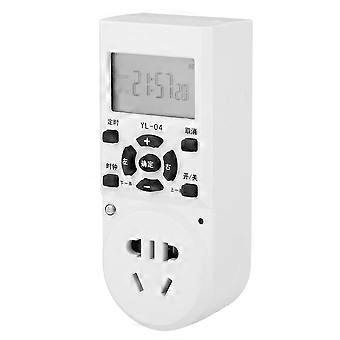
Spray System Timer Automatic Spraying Electronic Timing Socket with Clock Display AU Plug 220V
1、Made of high quality and flame retardant ABS housing, not easy to burn, safe and durable in use.
2、Intelligent chip setting, set to seconds, up to 24 settings, can be set according to your needs.
3、5-hole socket on the timer for more appliances, more convenient and practical to use.
4、High hardness LCD screen, anti-crack and for wide and clear viewing, easy to read the data.
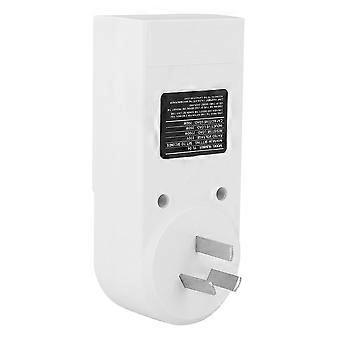
5、Copper nickel-plated structure pins, corrosion resistant, high conductivity and not easy to heat. Automatically memorize the program when power off, no need to install additional battery, safe and convenient.
1 x Timer (Battery Included)
Condition: 100% Brand NewItem Type: TimerMaterial: ABS HousingRated Voltage: 220VPlug: AU PlugWorking Frequency: 50HzIntrinsic Loss: ≤
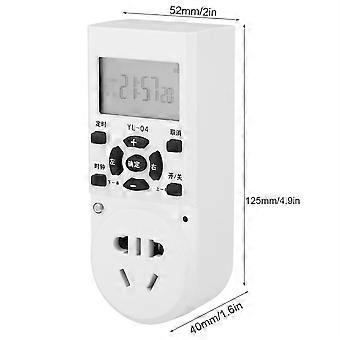
0.5WMaximum Current: 10AMaximum Power: 2200WProgrammable Number: 24 (12 groups) x 7 daysBattery Capacity: 1200mAh (Included)Product Size: Approx. 125 x 40 x 52 mm /
4.9 x
1.6 x 2 inWeight: Approx. 139g /
4.9ozSet the Clock:
1. Firstly press the clock key;
2. Press the left and right keys to move the cursor position, and press the ''+-'' key for value change and week value change;
3. Press the OK key to complete the setting.View and Modify Timing:Press and hold the timing button for 2 seconds to enter the timing setting screen of the previous setting. You can check the original setting for errors by the previous and following items, and you can directly modify it. Then press OK to start the modified program.Set Timing:
1. Press the timing key firstly, and the cursor appears to enter the timing setting screen;
2. Use the left and right keys to move the cursor position, press the ''+-'' key for value change and week combination, and set the specific week combination, on/off time and on/off command according to your needs (the week combination can be set at will)
3. Move the cursor to the following position and press the OK key to enter the following setting screen;
4. Repeat the above steps to set up to 24 on/off commands in sequence (you can view and modify the set on/off commands through the previous and following commands during the setting process, which is very convenient);
4. Press OK to complete the setting.Set On/Off State:
1. Firstly press the on/off key, the cursor appears, and enter the on/off setting screen;
2. Continue pressing the on/off key to change the current on/off state;
3. Press the OK key to complete the setting.Cancel Timing:Press and hold the cancel key for 2 seconds to cancel the running timing program, enter the non-timing state, and the on/off state remains unchanged.
-
Fruugo ID:
354780893-771429520
-
EAN:
9153118236234
Product Safety Information
Please see the product safety information specific to this product outlined below
The following information is provided by the independent third-party retailer selling this product.
Safety Warnings:
Warning: Keep away from fire when storing. The product should be stored in a dark place, away from high temperature and fire.
Delivery & Returns
Dispatched within 7 days
Shipping from China.
We do our best to ensure that the products that you order are delivered to you in full and according to your specifications. However, should you receive an incomplete order, or items different from the ones you ordered, or there is some other reason why you are not satisfied with the order, you may return the order, or any products included in the order, and receive a full refund for the items. View full return policy